
In housebuilding and construction, aftercare is where reputations are made or broken. A defect left unresolved, a booking never confirmed, an engineer who turned up with no context — these aren’t just operational failures, they’re the moments that turn a satisfied buyer into a vocal critic. The challenge isn’t usually the will to deliver good aftercare. It’s the systems — or lack of them — that let jobs slip, pile up, and stay open far longer than they should.
Closing customer care jobs efficiently, completely, and with full accountability requires more than a spreadsheet and good intentions. Here’s how a purpose-built system can fundamentally change your aftercare close rate — and why that matters.
The Real Cost of an Open Job
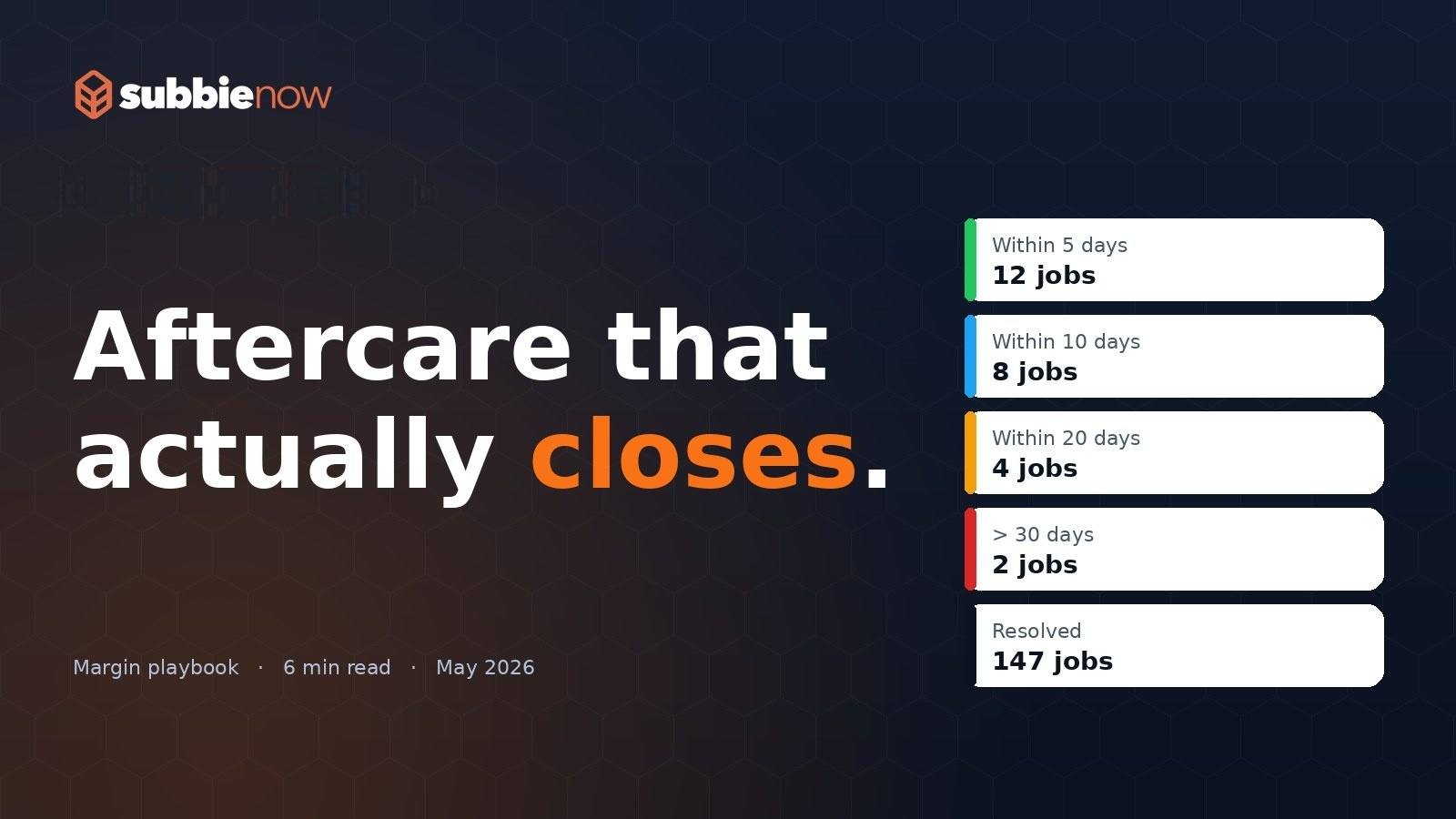
Every day a customer care job stays open is a day your team is managing it, your client is chasing it, and your homeowner is waiting. The Days Open counter in the Customer Care List makes this visible in real time — showing exactly how long each job has been active since it was raised. Colour-coded rows escalate urgency automatically based on how long a job has been open, so nothing quietly ages in the background. Once a job is marked complete, it drops back to neutral, giving your team a clean, unambiguous picture of what still needs to be closed.
This visibility alone changes behaviour. When everyone can see how long jobs have been open, the pressure to close them becomes structural rather than personal.
Booking That Doesn’t Fall Through the Cracks
One of the most common reasons aftercare jobs stay open is simple: they never get properly booked. The Customer Care Calendar provides a live view of every site and every job, colour-coded by status. Jobs without a booked date are immediately identifiable. Jobs overdue from a past date are flagged in red. Rescheduled jobs appear in amber, making it obvious which ones have already been moved once — and therefore warrant closer attention.
The calendar isn’t just a read-only display. Managers can drag and drop jobs between engineers, switch them between AM and PM slots, and see the whole picture across their portfolio for any given week. When a booking changes in the calendar, the underlying job record updates automatically. There’s no transcription, no double-entry, no version mismatch between what the system says and what the engineer is actually expecting.
Once a booking is confirmed, a Booking Confirmation email can be sent directly from the job record to both the homeowner and the client — with a single click, from a pre-built template. The homeowner knows when to expect someone. The client knows it’s in hand. That’s one fewer chaser, and one fewer reason for a job to stall.
Engineers Who Arrive Informed and Leave With Evidence
Aftercare closes faster when engineers don’t need to ring the office for context. On the Operative Portal — accessible on both desktop and mobile — each engineer sees their AM and PM jobs for the day, pre-loaded with the site, plot, address, customer contact details, operative notes from the admin team, and the latest update. Everything they need is already there.
When they complete the job, they complete a structured form on the same device. Before-and-after photos, description of works, hours spent, materials used — all captured in the field, in real time, and attached directly to the job record. The admin team can see it the moment it’s saved. There’s no paper trail to process, no photos to chase, no phone call to confirm what was actually done.
Critically, the form also asks who was at fault and whether the customer was in attendance. These aren’t just data points — they’re the kind of accountability fields that protect your business and help you identify patterns across your sites.
Revisits That Don’t Become Black Holes
One of the most damaging things in aftercare is a revisit that nobody properly authorised. An engineer flags that further work is needed, someone makes a note, and three weeks later nothing has happened — the original job is marked complete but the actual problem isn’t resolved.
The system handles revisits through a formal approval workflow. When an engineer identifies that a further visit is needed, they record their revisit notes and any materials required directly in the form. That request lands in the Revisit Requests section of the admin record, where it sits in an Awaiting Approval status until a manager reviews it. If approved, the system automatically creates a new customer care job, pre-populated with all the details from the original — so nothing needs to be re-entered and nothing gets lost in translation. If rejected, it’s logged and closed. Either way, there’s a clear audit trail.
No revisit falls through the gap. No homeowner is left waiting because a request was never actioned.
Communication That Closes Loops
A job doesn’t feel closed to a homeowner until they’ve heard from someone. The system supports four types of outbound communication from within the job record: a Booking Confirmation, a Customer Update, a Builder Update, and a Quote for chargeable work. Each uses a pre-built template, each is sent from the job record, and each is logged automatically in the job’s email history with timestamps.
The Customer Update requires a populated Latest Update field and a customer email address. The Builder Update requires a Latest Update. These validation rules aren’t obstacles — they’re prompts. They ensure communication only goes out when there’s actually something substantive to say, and they keep the Latest Update field maintained as a running record of where the job stands.
Your clients get Builder Updates that keep them informed without needing to call. Your homeowners receive direct updates that demonstrate the job is actively being managed. That’s the kind of communication that builds confidence — and that confidence makes it easier to mark a job as complete without facing a dispute.
Exports That Give You the Full Picture
When you need to report on aftercare performance — to a client, to management, or for your own audit — the Export function produces either a detailed CSV or a colour-coded spreadsheet. You can filter by date range, by client, by issue date or booked date, and choose whether to include invoice values or restrict to chargeable jobs only.
The spreadsheet output uses the same red, amber, green logic as the live system: red for unbooked jobs, amber for revisits, green for completions. Hand it to a client and they can see at a glance the current state of their portfolio. That transparency, delivered consistently and professionally, is what turns aftercare from a reluctant obligation into a genuine differentiator.
Closing Jobs Is About Removing Friction
Aftercare that closes isn’t just about motivated teams or good intentions. It’s about removing every point of friction that lets a job stay open longer than it should. An unbooked job that nobody notices. An engineer who turns up without the right information. A revisit that was never formally approved. A homeowner who hasn’t heard anything for two weeks. A client who has to call to find out what’s happening.
A system built specifically for customer care management addresses all of these simultaneously — not by adding process, but by making the right process the easiest thing to do. When booking, communication, field completion, revisit management, and reporting all live in one connected system, jobs close faster, evidence is captured automatically, and your team spends less time chasing and more time completing.
That’s aftercare that actually closes.