


What would you like to learn about?
-
Admin System
-
- Sites
- P & L Reports
- Sites Details
- Sites Financials
- Sites Contacts
- Sites House Types
- Sites Overview
- Sites Plots
- Sites Tender
- Sites Customer Care
- Sites Documents
- Sites Price Submissions
- Sites Variations
- Sites Contra Charges
- Sites Sales Extras
- Sites Applications
- Sites Certifications
- Sites Programme
- Sites Pre-Order
- Sites Site Reports
- Sites Work Import
- Sites Submission Import
- Sites Plot Import
- Sites Application Settings
- Show Remaining Articles (9) Collapse Articles
-
Operative Portal
-
Mobile Application
Print
System Access Overview
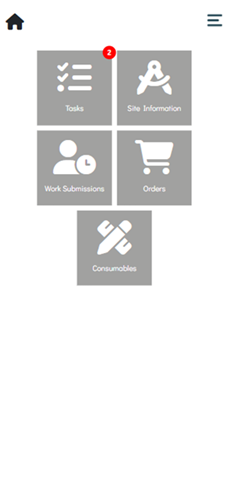
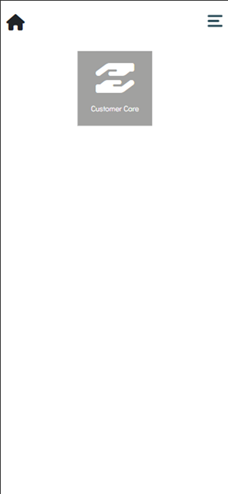
The area tiles displayed on the Operative Portal homepage & Operative Portal side menu depend on the User Type used to log in. As different User Types have access to different areas of the portal, not all tiles will be visible to every user. The Operative Portal supports three User Types: Operative, Customer Care Engineer, and Contract Manager.
Operative
When signed in as an Operative, the user can access the following system areas.

Customer Care Engineer
When signed in as a Customer Care Engineer, the user can access the following system areas.
Contract Manager
When signed in as a Contract Manager, the user can access the following system areas.
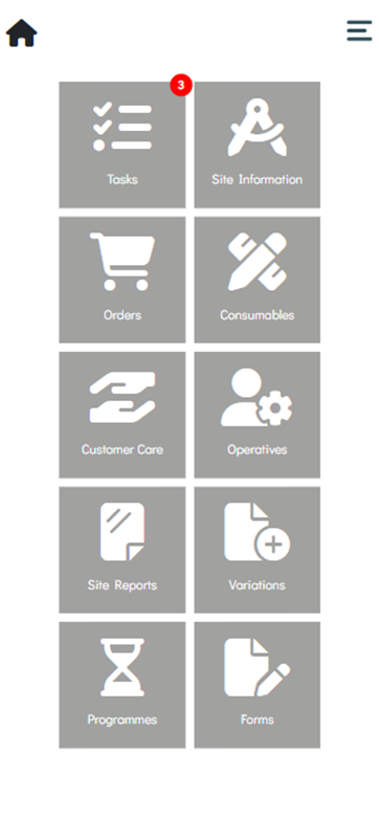
- Tasks
- Site Information
- Orders
- Consumables
- Customer Care
- Operatives
- Site Reports
- Variations
- Programmes
- Forms

Table of Contents