Site Reports
The Site Reports area allows the Contract Manager to view and download Fix Reports and Site Reports for the Sites they are currently assigned to.
Site & Plot Selection
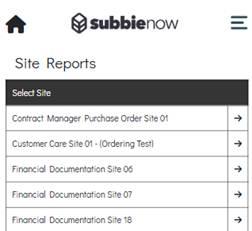
When the Contract Manager enters the Site Reports area, a list of Sites is displayed containing the Sites they are currently assigned to, allowing them to select a Site to view reports for.
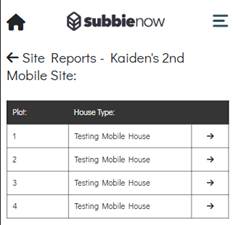
Once a Site has been selected, a Plot list is displayed showing all Plots associated with the selected Site. The list displays the Plot Number and the related House Type for each Plot. The Contract Manager can then select the desired Plot, which navigates them to the Fix & Site Report page.
Fix Reports
Fix Reports are displayed in a separate table from the Site Reports. These reports consist of Forms completed by the Operative when submitting a Work Submission. For a Fix Report to be included, it must first be approved by a user on the admin site.
The Fix Report table contains two columns: Build Stage and Download. The Build Stage column displays the Build Stages associated with the Site, while the Download column displays a download icon. Selecting the download icon downloads the corresponding Fix Report.
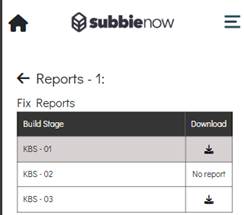
If there is no Fix Report available for a Build Stage, the Download column displays No report.
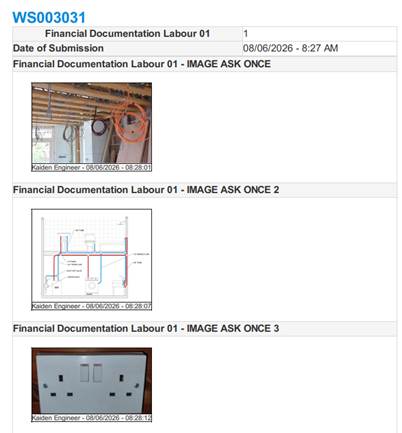
The Fix Report for a Build Stage is a combined collection of Forms from all Work Submissions made against the same Build Stage that have been approved. The report displays the Form questions along with the answers that were provided within the associated Work Submissions.
Site Reports
The Site Reports are displayed in a separate table beneath the Fix Reports table. These reports consist of Contract Manager Forms that have been submitted for the selected Site and are populated with the answers provided by the Contract Manager who created them.
The Site Reports table contains five columns that display key information for each Site Report, as described below.
- Form – Displays the Name of the Form.
- User – Displays the Name of the Contract Manager who submitted the Contract Manager Form.
- Assigned Users – Displays the Assigned Users for the Site Report, as selected by the Contract Manager prior to submitting the Form.
- Date – Displays the date the Site Report was submitted.
- Download – Contains a download icon which, when selected, downloads the Site Report locally to the user’s device for viewing.
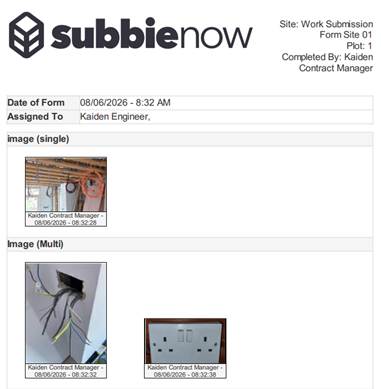
Upon viewing the downloaded Form this displays all the Form Questions along with their populated answers.