
Sites Submission Import
The Submission Import area allows users to import Costs and Sales Prices for all Materials and Labour Items that exist on the Site.
When in read-only mode, this section displays a Download Import Template button along with key information about the import process.
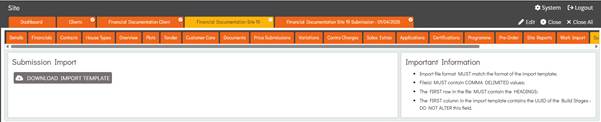
Downloading Submission Import Template
The system provides an Import Template containing a row for each Material and Labour Item on the Site.
The template includes Cost and Sales Price columns, which initially default to 0. Users can update these values for each Material or Labour Item to import the desired Cost and Sales Price.
The Import Template includes the following columns: UUID, Type, Item, Cost, and Sales Price.
Users are only required to update the Cost and Sales Price columns. Modifying the UUID, Type, or Item columns may cause the import to fail, as the Material or Labour Item will no longer match the system’s import data.

Performing Submission Imports
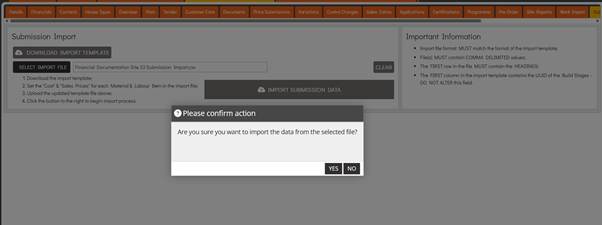
The user can perform a Submission Import by entering Edit mode and selecting Select Import File, which opens the File Explorer to allow selection of the Submission Import Template.
Once a file has been uploaded, the Import Submission Data button becomes available. The user can then select this option and confirm by choosing Yes in the confirmation popup to complete the import process.
Upon completion of the Submission Import, the system automatically creates a new Price Submission with IMPORTED as the Submission Number. This submission contains the Costs and Prices from the import and can then be reviewed and, if appropriate, agreed.